Part 5. Finishing touches
15 The words your buyers read
The app speaks 28 buyer languages on its own. What it translates, what you write yourself, and why that difference matters.
Two sets of words meet on the offer your buyer sees, and they behave differently.
What the app translates
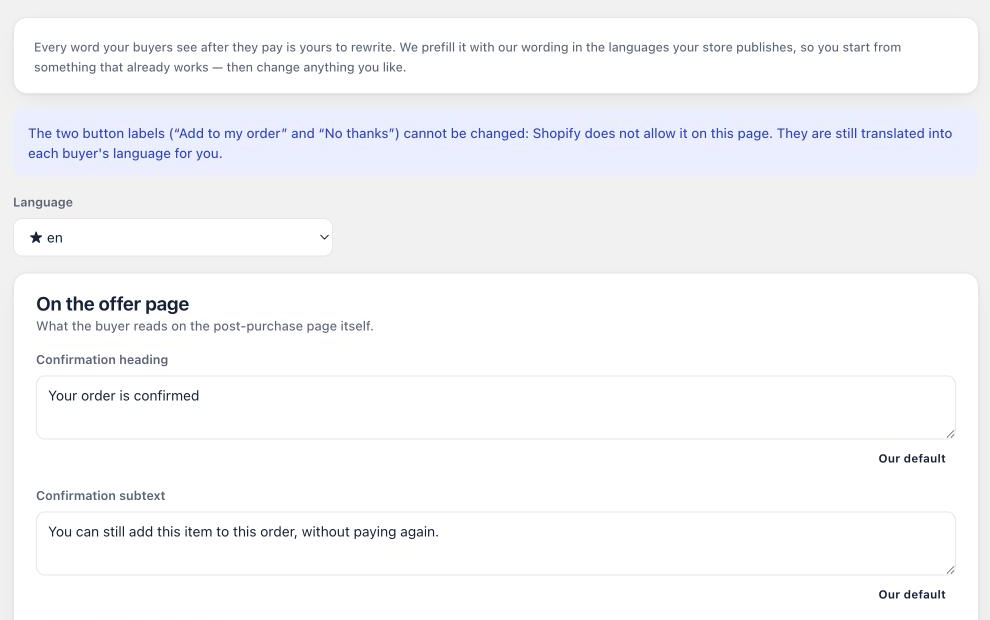
Everything structural: the buttons, the price labels, the decline link, the confirmations, the error messages. All of it ships in 28 buyer languages and follows the language the buyer is actually browsing in.
You do nothing. A French buyer gets a French button on the same offer that shows a German buyer a German one.
The app’s own admin, the screens you work in, exists in five languages. Those are two different lists and it is easy to mix them up: 28 for your buyers, 5 for you.
What you write
Your product names and your offer text are yours. The app never translates them, because guessing at your product wording is a good way to publish something embarrassing in a language you cannot check.
So if you sell across several languages, write the offer text in the language most of your buyers read, or keep it short enough that it works either way. The buyer wording page lets you review and adjust these strings in one place.
Two rules for that text
No exclamation marks. Shopify’s review guidelines forbid them in app-facing copy, and the app refuses to save one rather than letting it reach a reviewer.
Say what happens. If accepting starts a subscription, if the item joins the existing order, if the price shown is a member price, write it. Every refund request in this category starts with a buyer who did not understand what one tap was going to do.
Last updated